I tried Bluehost AI Builder, and I Have Thoughts

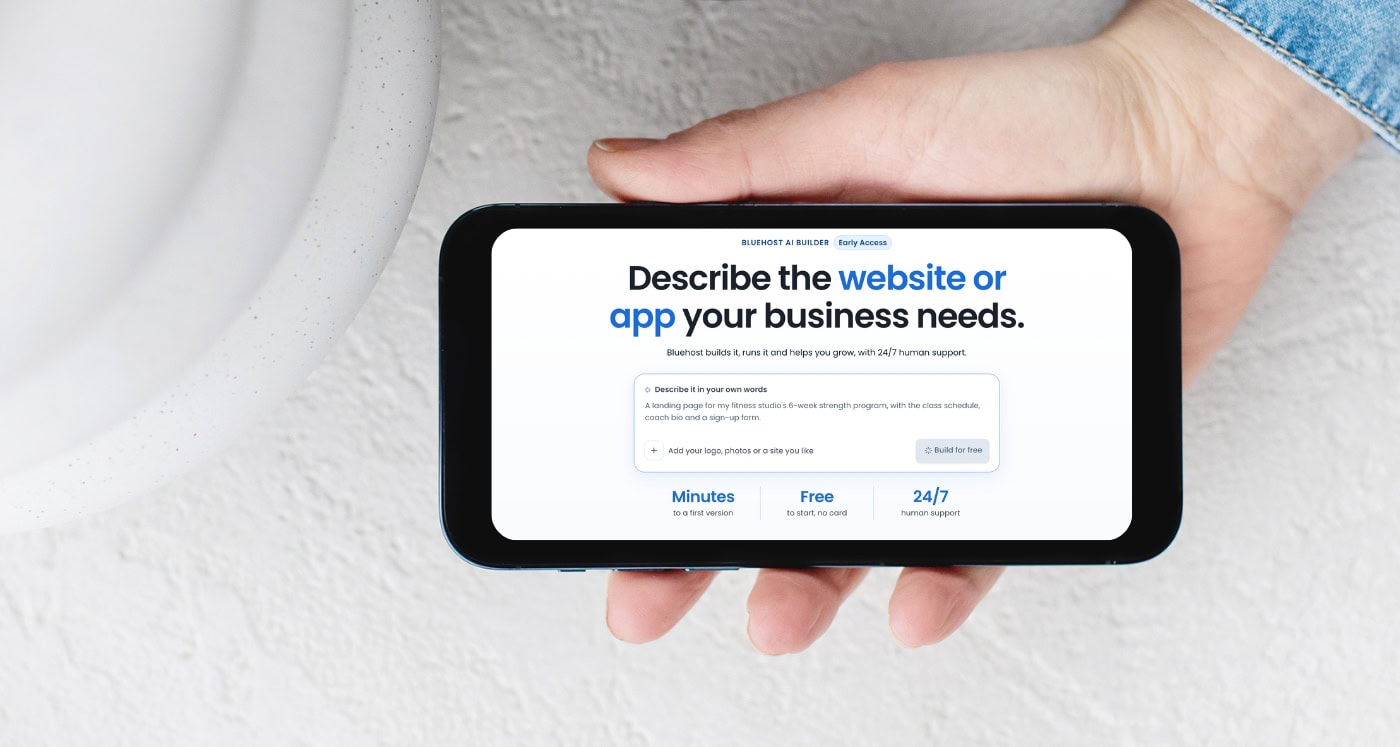
The future of website building is here and now you can literally tell AI your business idea, and watch it build your website in minutes.
You know how you get a really good business idea, and for about 15 minutes, you’re convinced it’s going to be your next big thing?
As an affiliate partner of various brands and sponsored content, HerPaperRoute may earn commission on qualifying purchases. Disclaimer
You’ve got the name. You’ve pictured the branding. You’ve already mentally spent your first $10,000 in sales. And then you remember one tiny detail.
You actually have to build the website. Suddenly, you’re watching YouTube tutorials about website layouts, Googling how to connect a domain, and trying to figure out why the button you spent 45 minutes designing doesn’t actually DO anything. Well, I found something I think you’re going to want to know about.
It’s called Bluehost AI Builder, and it lets you describe the website or web app you want in plain English, then uses AI to build it for you. No coding. No complicated design software. No spending your entire weekend trying to make a contact form work. What’s more, it’s $0 to start, no credit card required.
What Is Bluehost AI Builder?
Bluehost AI Builder is an AI-powered website and web app builder designed to help small business owners turn their ideas into working websites without needing to know how to code. And when I say you can tell it what to build, I mean that pretty literally.
You could type something like: “I want a website for my Pilates studio. I need a homepage with class information, an about page, a booking system where clients can schedule sessions, and a contact form. I want it to look modern, minimal and feminine.”
The AI takes your instructions and starts creating your website. You can even upload your logo, add photos, and share a link to another website you like so the AI understands the design direction you’re going for. It uses that reference for inspiration, including the layout, colors and overall style, rather than copying the other website’s content.
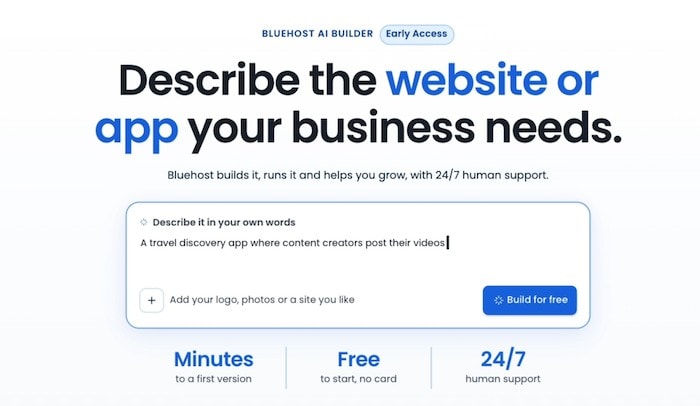
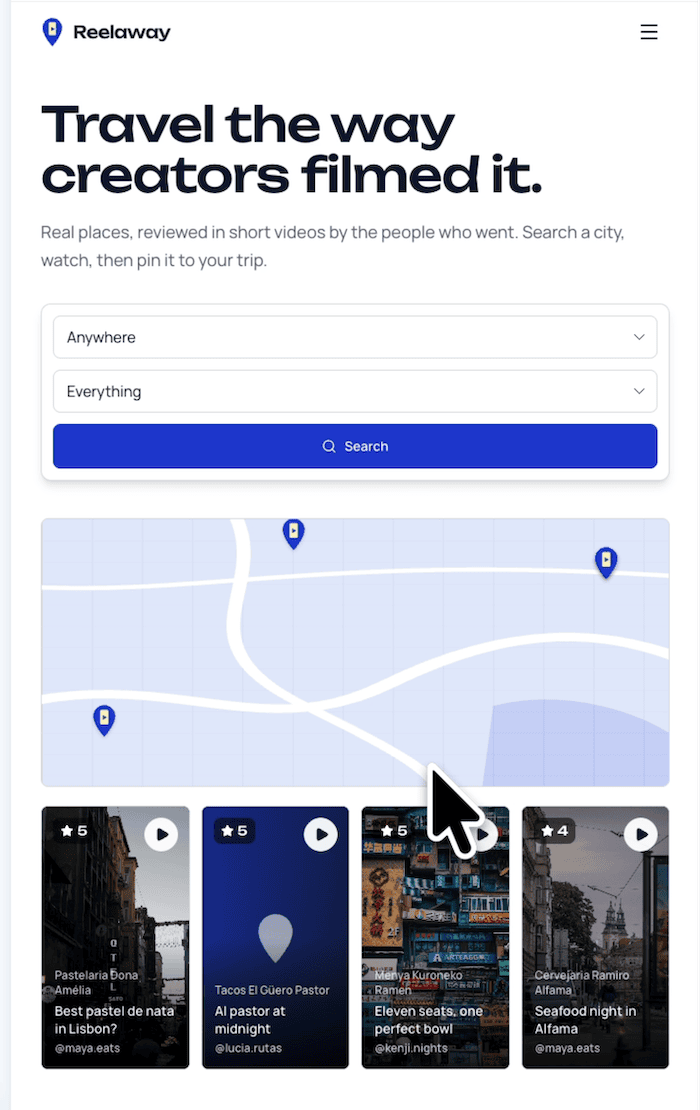
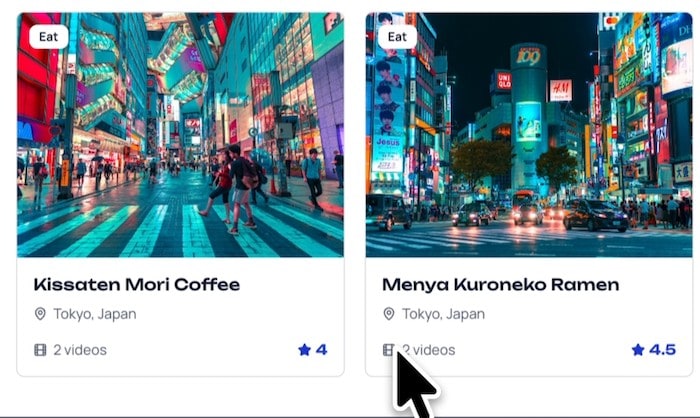
I wanted to see if it could help me develop a local travel app, and it got to work in just minutes with something I’ve been procrastinating on for ages.
What’s even cooler, if it needs more information before building, it asks you questions to fine0tune exactly what it is you want.
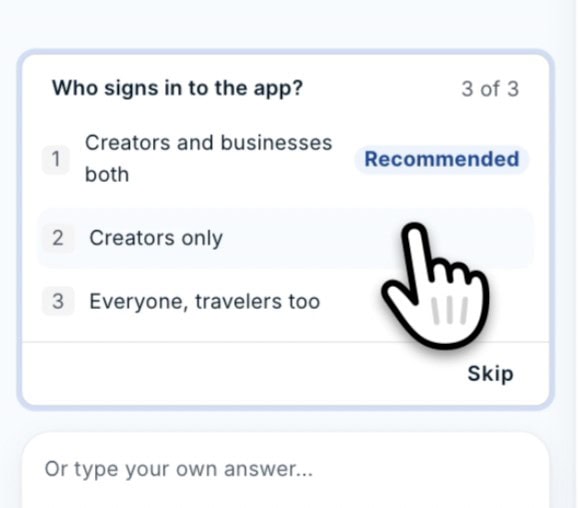
Basically, you’re having a conversation about what you want your website to do, instead of having to figure out how to build every little piece yourself.
Give Bluehost AI Builder a try for yourself; it’s free to play around with!
How Does Bluehost AI Builder Work?
The process is refreshingly straightforward.
1. Tell it what you want to build
Start by describing your business and the type of website you need. Maybe you’re launching a coaching business, creating a portfolio for your freelance services, or finally building that website for the side hustle you’ve been talking about for six months. You can start with something simple and let the AI ask questions to help fill in the details.
2. Give it your branding and inspiration
Already have a logo? Upload it. Have photos of your products, your business, or yourself? Add those too. Found a website you love the look of? Share the URL. This is one of my favourite parts of the concept because you’re not starting with a completely blank screen and hoping you can somehow turn it into something professional. You can give the AI a visual direction right from the beginning.
3. Watch your website come together
Bluehost AI Builder, generates an initial version of your website, including the pages, layouts, images and features you’ve requested. According to Bluehost, you can get a first version in minutes, although more complicated projects will naturally take longer. You can preview what it’s creating as it works.
4. Make changes by chatting
Okay, this is where things get particularly interesting. Normally, changing something on a website means opening an editor, finding the right section, adjusting the settings, and hoping you don’t accidentally mess up something else. With Bluehost AI Builder, you can simply ask for changes.
“Make the homepage more minimal.” “Add a booking form to my services page.” “Change the colours to match my logo.” “Add a section for customer testimonials.”
The AI makes the requested changes, and you can review them before publishing. It’s a much more approachable way to build a website, especially if you’re not particularly interested in becoming a web designer.
But Wait, It Can Build Actual Web Apps Too?
This is the feature that really caught my attention. Bluehost AI Builder isn’t limited to traditional business websites. It can also create browser-based web applications.
So instead of just having a website that tells people about your business, you can build tools that help you actually RUN your business.
For example:
- Appointment booking systems: Let customers schedule appointments online.
- Customer portals: Give clients their own place to access information and interact with your business.
- Quote request systems: Collect project details from potential customers and manage their requests.
- Business directories: Organize listings and information into a searchable resource.
- Internal business tools: Create systems to help manage information and workflows behind the scenes. Imagine you’re a photographer.
You could create a website showcasing your portfolio and then ask the AI to add a system for clients to request bookings. Or maybe you run a home renovation business and want potential customers to submit project details and request estimates.
You can ask Bluehost AI Builder to create a quote request tool with an admin panel and email notifications. You don’t have to hire a developer just to experiment with the idea. And because these are web apps, people can access them through their browsers on their phones or computers.
They’re not native iPhone or Android apps that you download from an app store. For small business owners who have always wanted to build something a little more customized, that’s a pretty exciting possibility.
Is Bluehost AI Builder Free?
Yes! And I think this makes it especially appealing if you’re someone who has a few business ideas floating around but isn’t quite ready to commit money to developing them.
Bluehost offers a free AI Builder plan, and you don’t even need to enter a credit card to get started.
The free plan includes:
- AI website and web app building
- Cloud hosting
- Forms and data storage
- Booking and scheduling capabilities
- User accounts and roles
- An admin panel
- A Bluehost subdomain
- 24/7 human support
- The Free plan publishes on a Bluehost subdomain.
You can create multiple websites and apps, although the amount of AI building and editing you can do is controlled by credits.
At the time of writing, the free plan includes five credits per day, up to 30 credits per month. If you want to connect your own domain name, remove Bluehost branding, or have more credits available for building and editing, you’ll need a paid plan, which starts at just $20/month.
One detail I particularly like is that running out of credits doesn’t take your website offline. Your published website stays up; you just have to wait for more credits or upgrade before making additional AI-powered changes.
So you can actually build and publish something on the free plan, rather than being forced to pay the moment you’re ready to share your creation.
Note: Plans, pricing and credit allowances can change, so check Bluehost’s current offers before signing up.
What Makes Bluehost AI Builder Different From a Regular Website Builder?
Traditional website builders are already much easier to use than building a website from scratch. But they still typically require you to make a lot of decisions.
You choose a template, customize the layout, add your content, configure the features, and figure out how everything fits together. With Bluehost AI Builder, you’re starting with a conversation.
Instead of manually designing a booking page, you describe the booking page you want. Instead of figuring out how to create a customer portal, you explain what your customers need to do. And instead of building your website in one tool and then finding somewhere to host it, Bluehost includes hosting with its AI Builder plans.
There’s also 24/7 human support, including on the free plan. Because let’s be realistic. AI is great, but sometimes you just want an actual human to help you figure out why something isn’t working.
A quick note for WordPress users
Bluehost AI Builder, and Bluehost’s WordPress AI Builder are different products. If you specifically want a WordPress website that you can manage using WordPress themes, plugins and its familiar dashboard, Bluehost has a separate WordPress AI Builder. WordPress is still the best for blogging, so if you’re looking to start a blog with WordPress, read this.
For ecommerce needs and selling products online, use Bluehost AI Store.
The AI Builder I’m discussing here is designed for creating websites and web apps through conversational instructions, without needing WordPress knowledge. That’s an important distinction if you already have an established WordPress business or blog.
Who Should Try Bluehost AI Builder?
I think this tool is especially interesting for people who have a business idea but don’t want the technical side to become the reason they never launch it.
For example:
- Content creators: Build a portfolio website, media kit landing page, or online presence for your services.
- Coaches and consultants: Create a website that explains your offers and lets potential clients book appointments.
- Local business owners: Build a professional website with your services, contact details, and customer inquiry forms.
- Freelancers: Create a portfolio and give prospective clients an easy way to request quotes.
- Entrepreneurs: Experiment with a new business idea, landing page, directory, or web-based tool before investing in custom development.
- Small business owners: Create internal systems or customer-facing tools that help you manage your everyday operations.
And if you’re someone who comes up with new business ideas every time you take a shower, being able to experiment without immediately hiring a developer is pretty appealing.
A Few Things to Know Before You Start
As exciting as AI website builders are, there are a few practical things worth keeping in mind.
First, you’re still responsible for checking the finished website. Make sure your forms work, your content is accurate, your pages look good on mobile, and everything does what it’s supposed to do. If you’re collecting customer information, you’ll also need to consider privacy, security and any legal requirements relevant to your business.
Second, more complex web apps may require more testing and refinement than a simple website. And third, don’t confuse getting a website online with having a complete business strategy. You still need a good offer, a clear target audience, and a plan to attract customers. AI can help you build the website. It can’t guarantee people will buy what you’re selling.
My Thoughts: Is Bluehost AI Builder Worth Trying?
Here’s what I find most exciting about tools like this. For years, there has been a pretty big gap between having a business idea and having the technical skills, money, or time to actually bring it to life. Maybe you wanted to launch a service business but couldn’t afford a custom website. Maybe you had an idea for an online tool but had absolutely no clue how to code it.
Or maybe you were just so overwhelmed by all the things you needed to learn that you kept putting the project off. I mean, we’ve all had that business idea sitting in a notebook somewhere.
What makes Bluehost AI Builder, interesting is that it removes some of those technical barriers. You can describe what you want, see an initial version, and keep refining it through a conversation. And because you can get started for free, there’s less financial pressure to have everything figured out before you begin.
Will every website come out perfect on the first try? Probably not. Will you still need to put thought into your branding, content and business strategy? Absolutely.
But being able to turn an idea into a working website or web app without having to learn to code is a pretty useful development for entrepreneurs.
And personally, I think anything that makes it easier for people to stop sitting on their ideas and actually start building them is worth paying attention to.
So, if you’ve been putting off launching your website because you don’t know where to start, go have a look at Bluehost AI Builder.
Tell it what you want to create, see what it comes up with, and go from there. Your next business idea might be a lot closer to becoming a real thing than you think.
Read this next: Best Creator Tools: Apps, Cameras, Marketing and More.